Darkfoe's Blog (Chuck Findlay)
Northern Lights
2024-10-13 8:40pm ADT
From the other night:
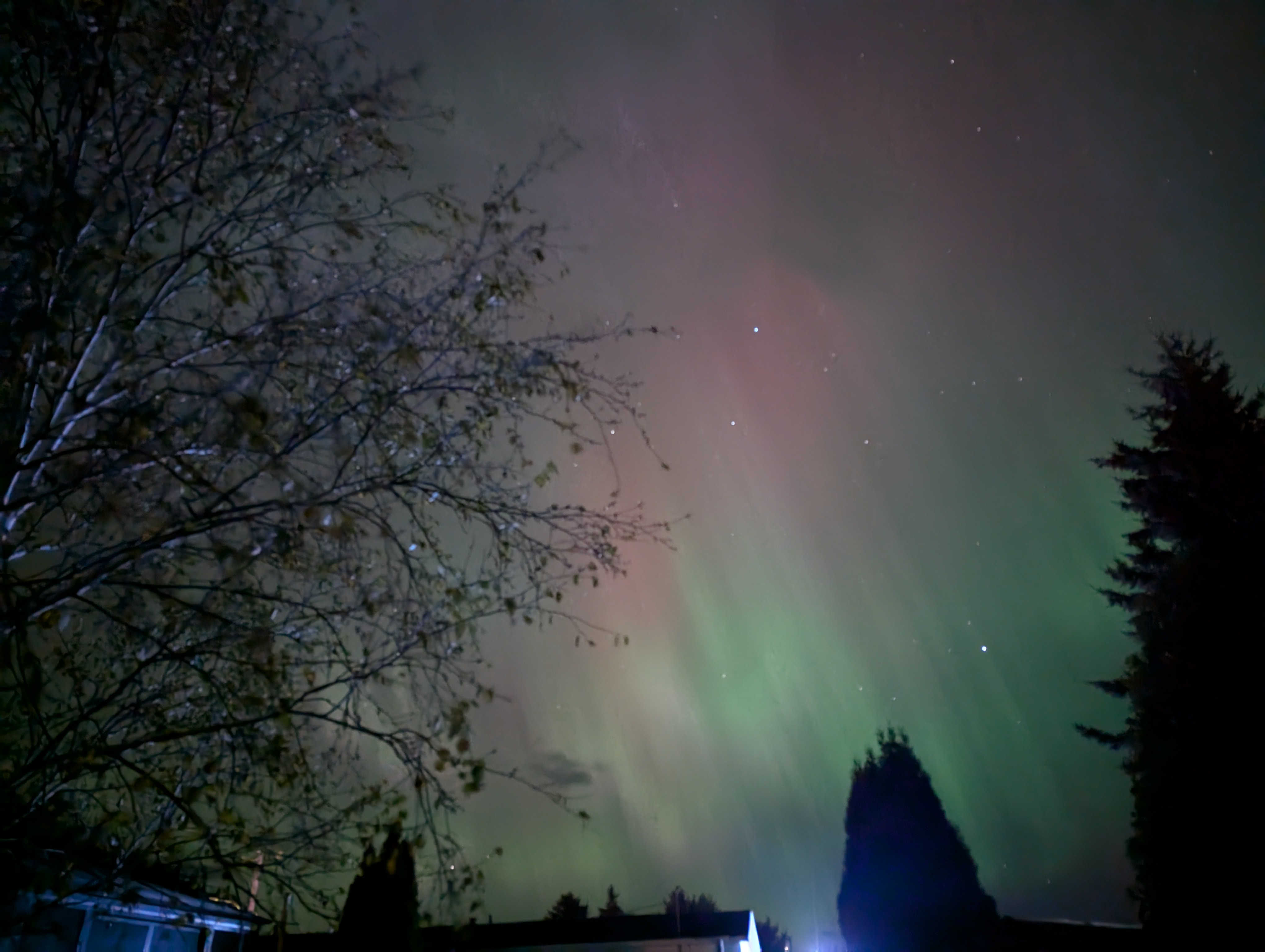
Quick picture of it in Quebec from the night of the storm. For reference, see here.
Traveling, pictures soon!
2024-10-13 1:55am ADT
Been traveling several months here full-time while working full-time from a vehicle. To share pictures soon! Once I get a chance to finish up my picture sharing website/software.
I can definitely say LTE networks are more than suitable for day to day WFH programming work - even with meetings. Generally use no more than a GB or two per day in my case.
Renovate bot and naming stuff like docker-compose.yaml files differently
2024-05-20 9:15pm ADT
Took me way too long to figure out, but if you want to use a different name for your docker-compose.yaml file (ie, gitea.yaml) and still have renovate bot look into it and work you need to do the following in your renovate.json file:
{
    "$schema": "https://docs.renovatebot.com/renovate-schema.json",
    "extends": ["config:recommended"],
    "docker-compose": {
      "fileMatch": ["^path\\/to\\/dockercomposefiles\\/.*.yaml$"],
      "enabled": true
    }
}
Of course, adjust accordingly the path/to/dockercomposefiles/ bit to be a regex match from the root of your repository, and add in whatever other renovate config you have.
In my case, this allows me to store all my portainer configs and still have them looked at by renovate without having to stick them all in an ugly folder structure.
If you're wondering what the heck I'm talking about, take a look here. It's basically an automated bot to open PRs/branches (and merge them automatically if you want after checks are passed) on your git repos when stuff updates. Great when you have a few dozen projects.
CSS and front-end has gotten much easier than in the past
2024-05-14 11:20pm ADT
Bootstrap is really a game changer for a backend dev like myself. I was able to do a loooooot of style changes to implement a nice darkmode theme without too much of a hassle. Ie, the little tweaks I did worked awesome for both desktop and phones!
I also went ahead and adjusted a few other of my front-facing sites. I know I played with it years ago when I last worked on my portfolio site's design, but since then it's gotten even easier. Dark mode gradiants are making my eyes very happy.
Responsive design fixed
2024-05-14 9:45am ADT
Fixed the responsive design! Turns out the code blocks were the issue. Seems to have fixed the gradiant issue as well in the background.
EDIT: Scratch the gradiant issue - still a problem. Do deal with another time I suppose.